September 21, 2026
TutorialHow to Find the Cheapest Petrol Station Near You with Combusto
Use your location to compare fuel prices at every petrol station around you, choose your search radius and fuel type, and get directions in one tap.
Combusto shows the current price of petrol and diesel at every petrol station in Spain. The fastest way to use it is straight from the home page: share your location and see the cheapest stations around you, sorted by price. No account and no app to install.
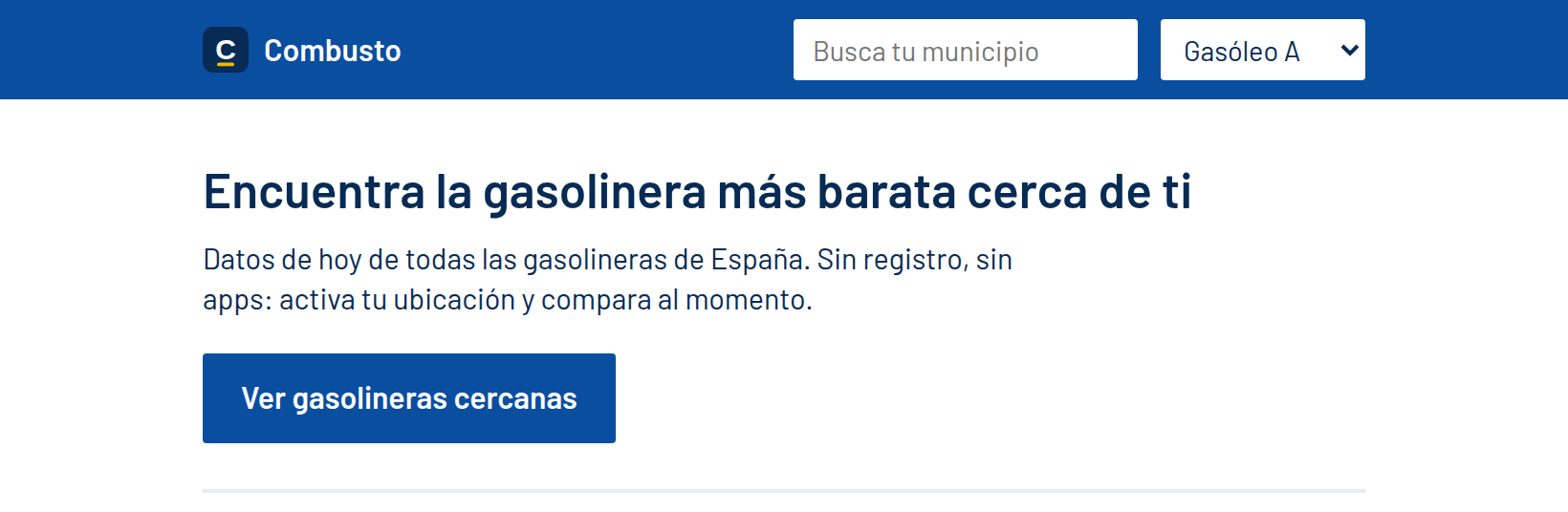
A note on the interface: Combusto is currently in Spanish. Button and column names are shown below as they appear on screen, followed by their English meaning in parentheses. The screenshots in this tutorial were taken with a sample location in central Madrid.
Before you start
- Use any modern browser on your phone or computer.
- Allow location access when your browser asks. Your coordinates are only used in your own browser to calculate distances. The site simply downloads the price files of the nearby provinces.
- If you would rather not share your location, you can still search by town. See If you don't want to share your location below.
Step 1: Choose your fuel
In the header of every page there is a fuel selector, next to the search box. Pick the one your vehicle uses:
- Gasóleo A (standard diesel). This is the default.
- Gasolina 95 (95 octane petrol)
- Gasolina 98 (98 octane petrol)
- GLP (LPG, liquefied petroleum gas)

Combusto remembers your choice on this device, so you only have to set it once.
Step 2: Share your location
- On the home page, tap Ver gasolineras cercanas (View nearby stations).
- Your browser will ask for permission to use your location. Choose Allow.
- Wait a moment while the page shows Buscando tu ubicación… (Finding your location…) and then Buscando gasolineras cerca de ti… (Looking for stations near you…).
The page then scrolls down to the results, under the heading Gasolineras cerca de ti (Stations near you).
Step 3: Read the results
Above the table, a summary line tells you how many stations were found for your fuel and radius, and how recent the data is. In the example below it reads "208 gasolineras con Gasolina 95 a menos de 10 km; se muestran las 20 más baratas. Actualizado hace 7 min." (208 stations with 95 petrol within 10 km; showing the 20 cheapest. Updated 7 minutes ago.)
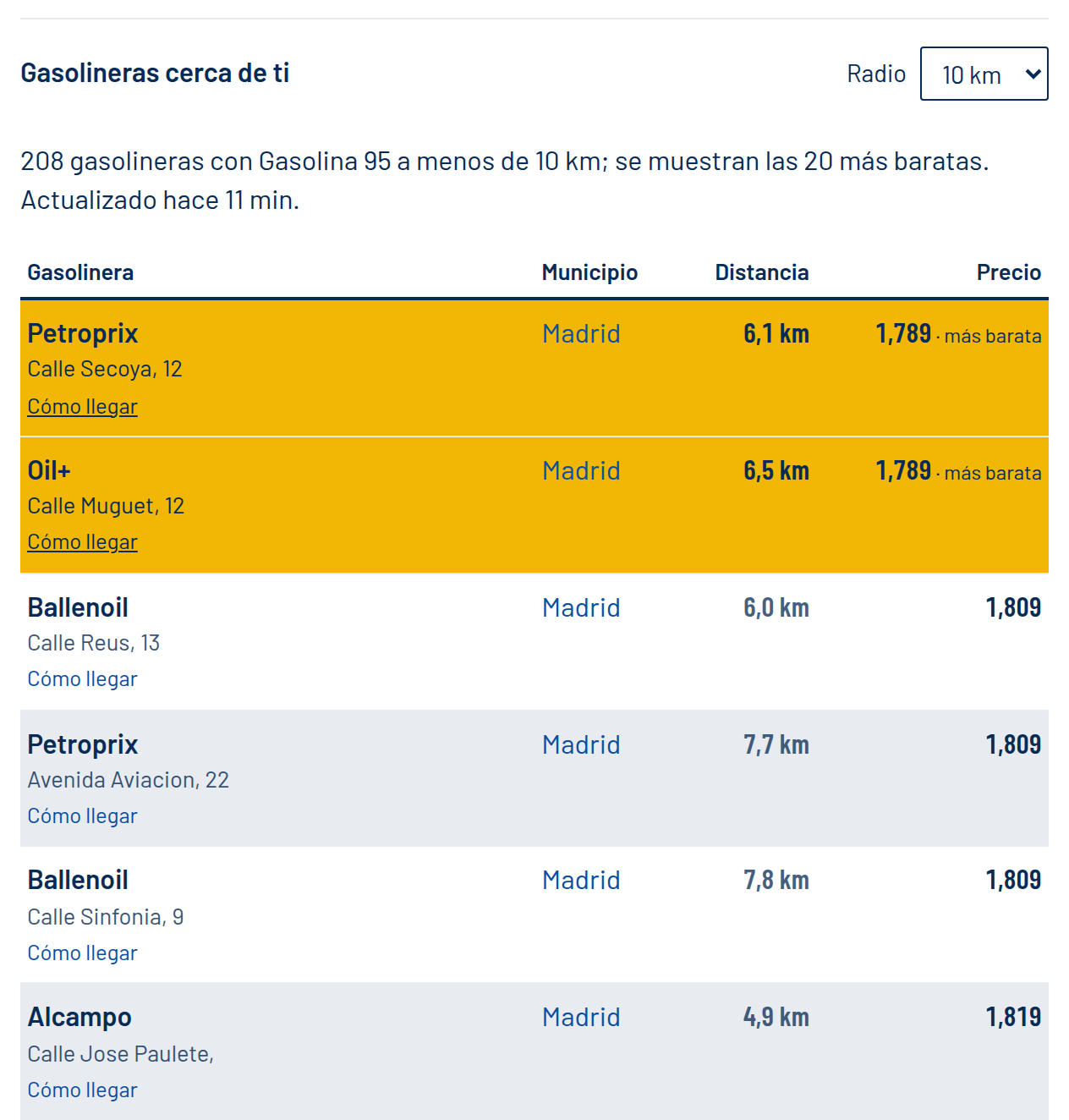
Each row of the table shows:
| Column | What it means |
|---|---|
| Gasolinera (Station) | Brand and address. The Cómo llegar (Get directions) link opens the route to that station in Google Maps. |
| Municipio (Town) | The town the station belongs to. Tap it to open that town's page with all of its stations. |
| Distancia (Distance) | Straight-line distance from you, in metres or kilometres. |
| Precio (Price) | Price per litre in euros, with three decimals. |
The list is sorted by price, from cheapest to most expensive. If two stations charge the same, the closer one comes first. The cheapest price is highlighted in yellow and tagged más barata (cheapest). When several stations share the lowest price, as in the screenshot, all of them are highlighted.
If more than 20 stations fall inside your radius, Combusto shows the 20 cheapest.
Tip: the nearest station is not always the cheapest one. Combusto uses the radius only to decide which stations to include, then orders them by price. In the screenshot, the cheapest station is 6.1 km away while a station just 4.9 km away costs a little more. Compare the price difference with the extra distance before you decide where to fill up.
Step 4: Change the search radius
Next to the results heading there is a Radio (Radius) selector with four options: 5 km, 10 km (the default), 25 km and 50 km.
- Live in a city? Try 5 km or 10 km to keep the list short and close.
- In a rural area, or travelling? Move up to 25 km or 50 km to reach more stations.
The results update immediately when you change the radius, and Combusto remembers your choice for next time.
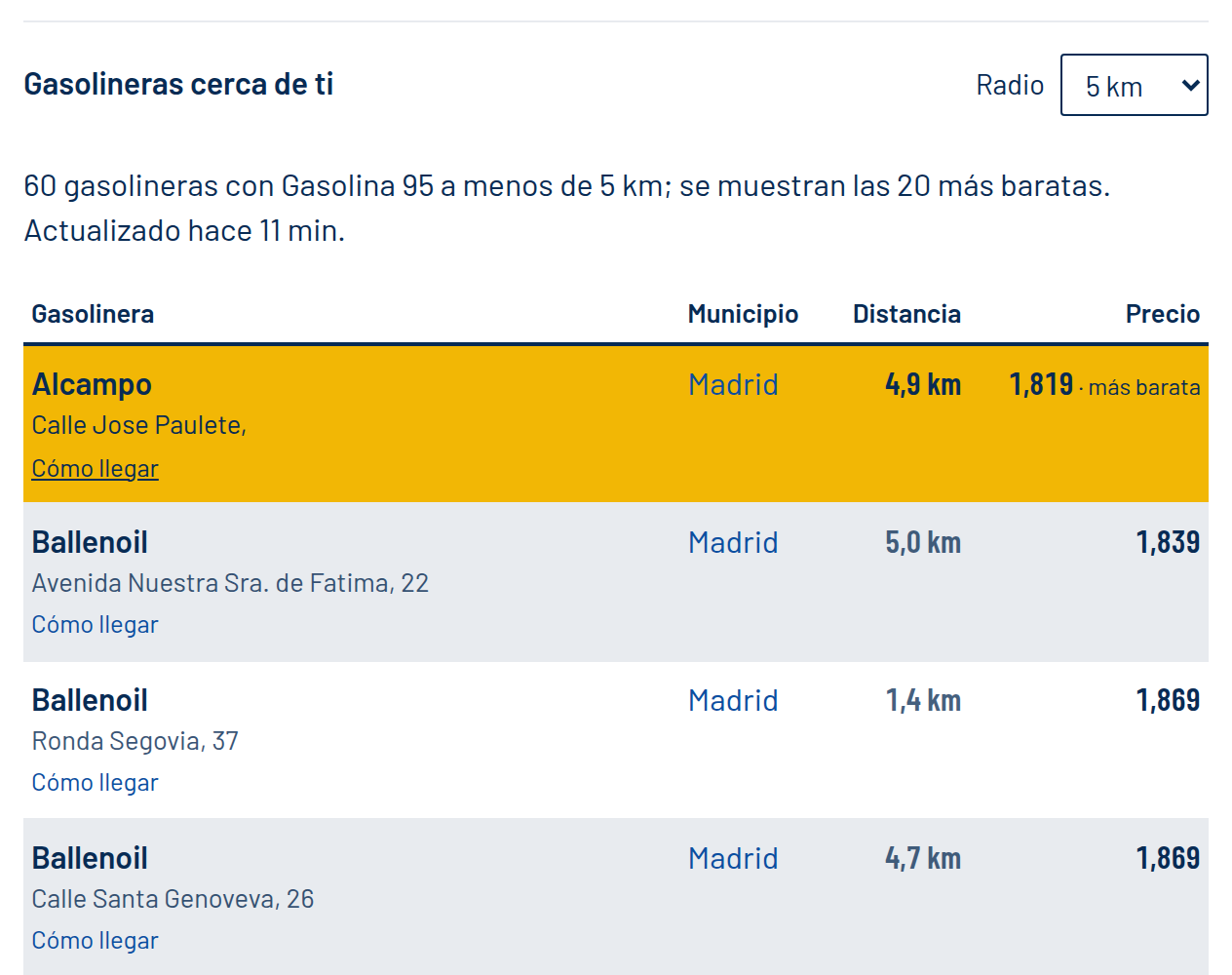
If nothing is found, you will see a message like "No hay gasolineras con Gasolina 98 a menos de 5 km. Prueba con un radio mayor." (There are no stations with 98 petrol within 5 km. Try a larger radius.). Increase the radius, or switch to a more common fuel.
Step 5: Switch fuel at any time
You can change the fuel in the header selector after the results appear. The list is recalculated for the new fuel without asking for your location again. Stations that don't sell that fuel are left out of the list.
If you don't want to share your location
You can still get prices without using your location:
- Use the search box in the header (Busca tu municipio, Search your town) and type the name of a town.
- Pick one from Ciudades más buscadas (Most searched cities) at the bottom of the home page.
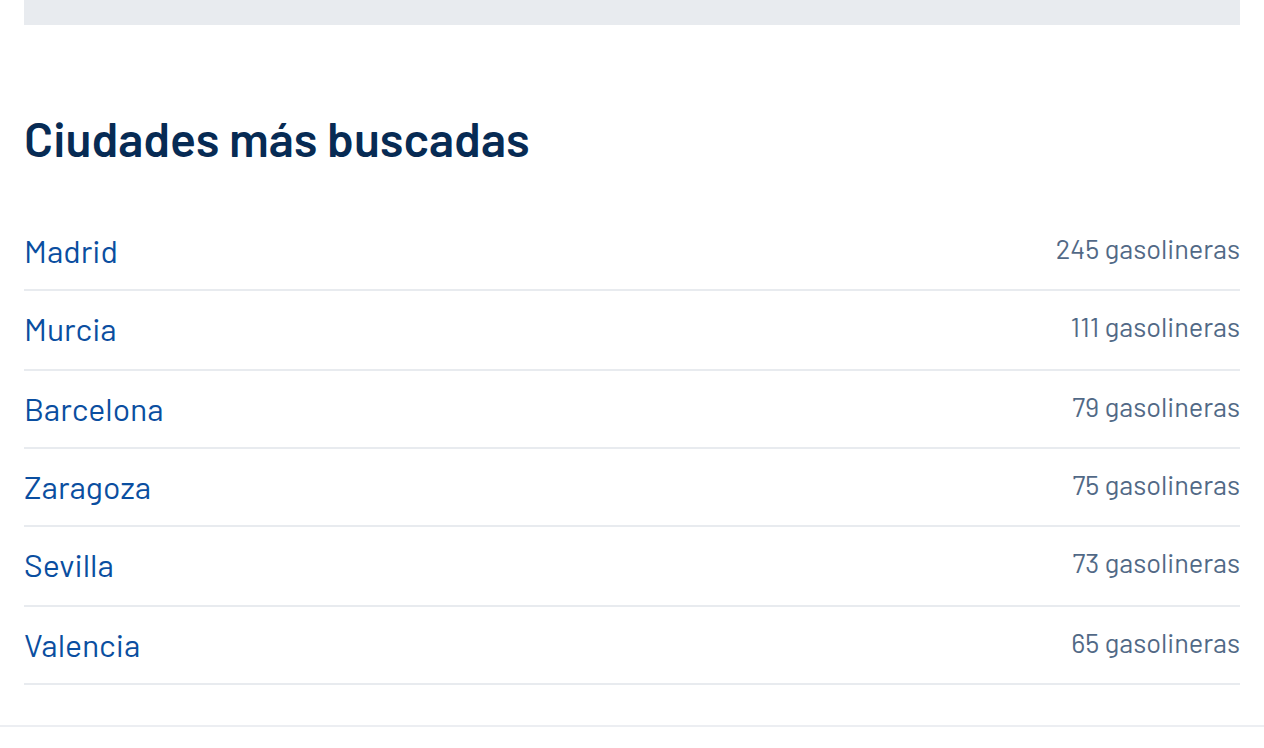
If your browser blocks location access or can't find you, the page shows a message such as "No se pudo obtener tu ubicación…" (Your location could not be found…) and suggests those options. You can also enable location for the site in your browser settings and try again.
Good to know
- Where the prices come from: the official data published by Spain's Ministry for the Ecological Transition and the Demographic Challenge. Combusto refreshes them every hour.
- Prices at the pump: the price shown may not match the one at the pump at the moment you fill up, since stations can change their prices between updates.
- Stations with wrong coordinates: a small number of stations are registered with incorrect coordinates in the official data. They are still listed on their town page, but without a distance or a directions link.
That's it: pick your fuel, share your location, and compare. Safe travels!